Meme Stretcher Sandbox
Stretch memes and your own photos into hilarious shapes in this vibrant, elastic sandbox.
Made by
Share
0
1
0
About Meme Stretcher Sandbox
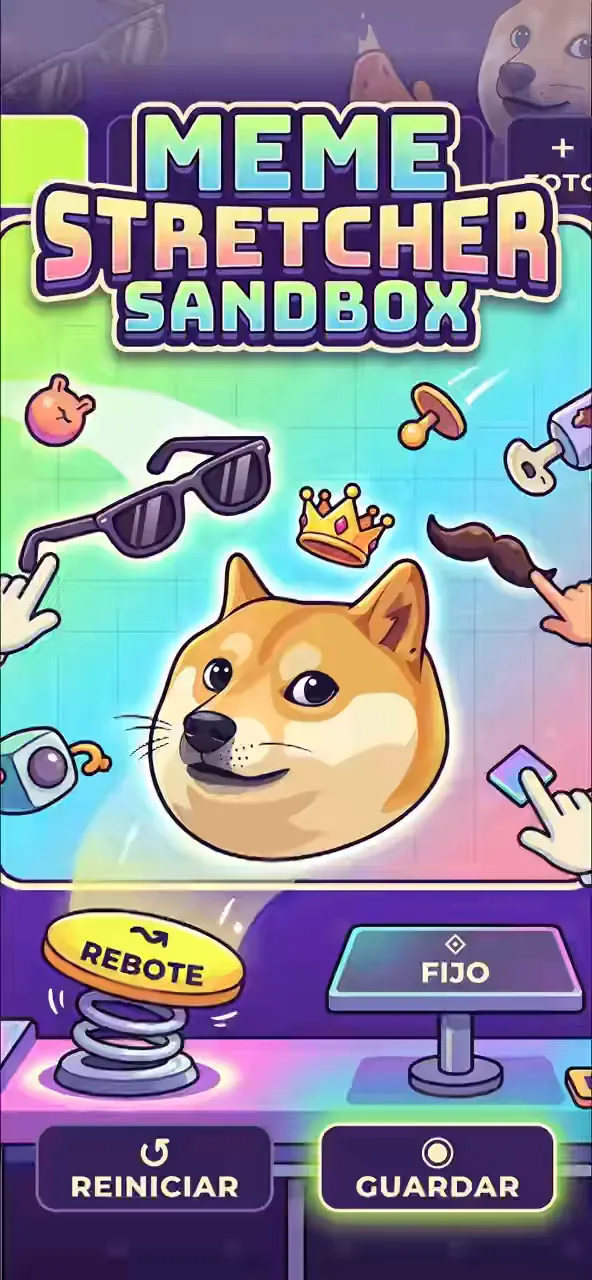
Stretch famous meme faces or your own photos into hilarious shapes using an elastic mesh and custom stickers.
How to play
- Select one of the four default meme faces or upload a custom photo from your device.
- Choose between bounce mode for elastic physics or fixed mode to keep the face deformed.
- Click and drag anywhere on the face to stretch the mesh up to 290 pixels.
- Select a sticker like glasses or a crown, then tap the face to place it.
- Press the reset button to restore the face, or use the camera button to save your image.
Controls
- Touch
- Drag across the face to stretch it, and tap buttons to swap modes or place stickers.
- Keyboard
- Not supported.
- Mouse
- Click and drag to pull the mesh, and click to select stickers or change the face.
More about this game
Meme Stretcher Sandbox is a physics toy where you deform images using an interactive mesh. Select a classic meme face like a dog or frog, or upload your own photo. By dragging, you pull the image up to a maximum stretch distance of 290 pixels. The game features two physics modes: a bounce mode where the face snaps back with a spring strength of 34, and a fixed mode where deformations stay in place. You can also stamp glasses, crowns, or moustaches onto the canvas.
Tips
- Switch to fixed mode if you want to sculpt a specific expression without the mesh snapping back to its original shape.
- The grab radius is set to 250 pixels, so pulling near the center of the face will drag the surrounding features along with it.
- Stickers are placed with a slight random rotation, so tap multiple times to layer them for a chaotic look.
FAQ
- Can I use my own pictures?
- Yes, you can click the photo button to upload an image from your device. The image remains private and only loads locally on your device.
- How do I remove a sticker?
- You cannot remove individual stickers once placed. You must press the reset button to clear all stickers and restore the face to its original state.
- Why does the face snap back when I let go?
- The game defaults to bounce mode, which uses a spring strength of 34 to pull the mesh back. Tap the fixed mode button to make your stretches permanent.